Answer: Please follow the instruction about how to upload videos and submit them on Moodle:
- Record your Video following the information provided in the exam file.
- Save the video to your OneDrive or MS Streams.
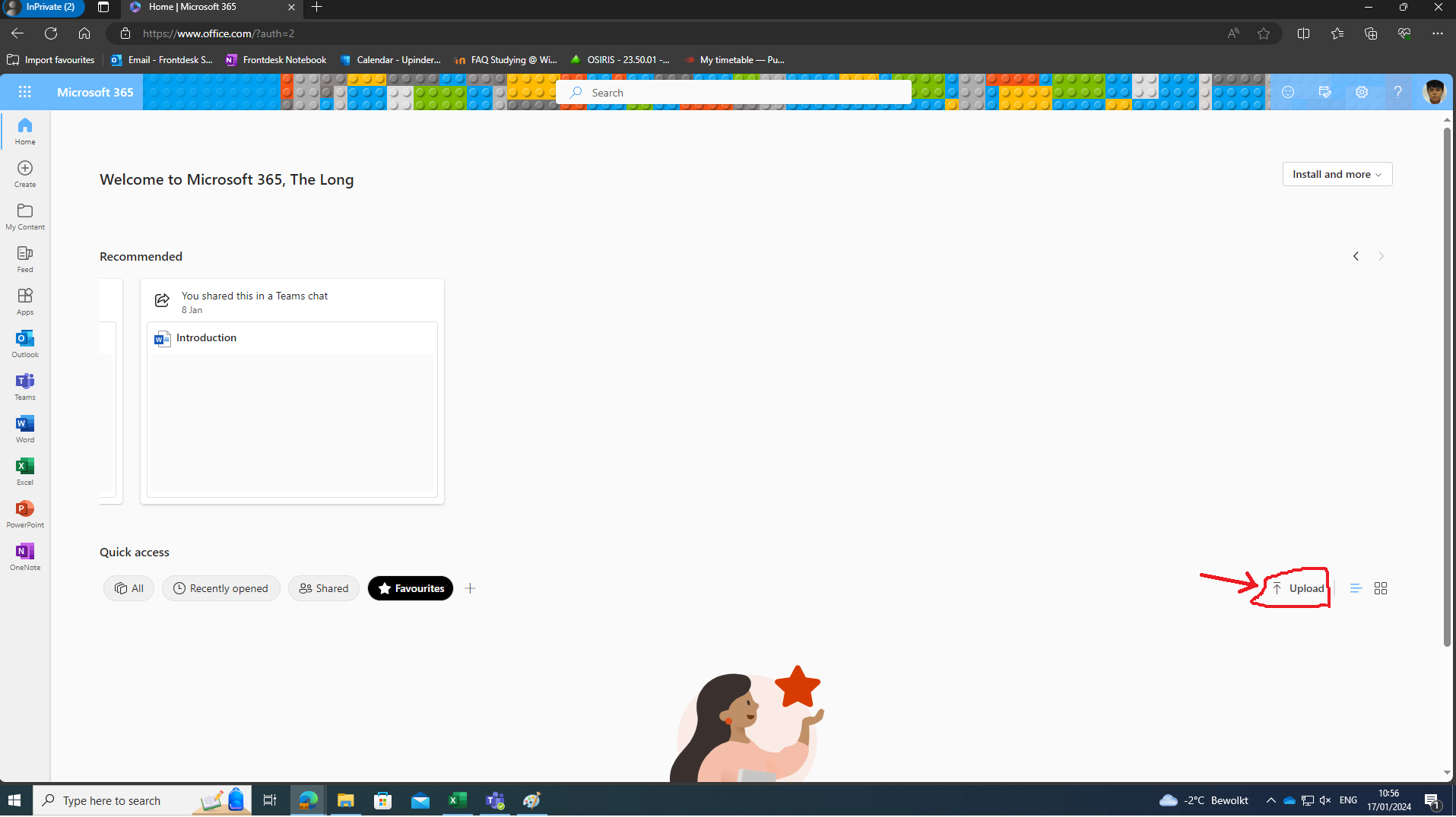
-Share the video to public
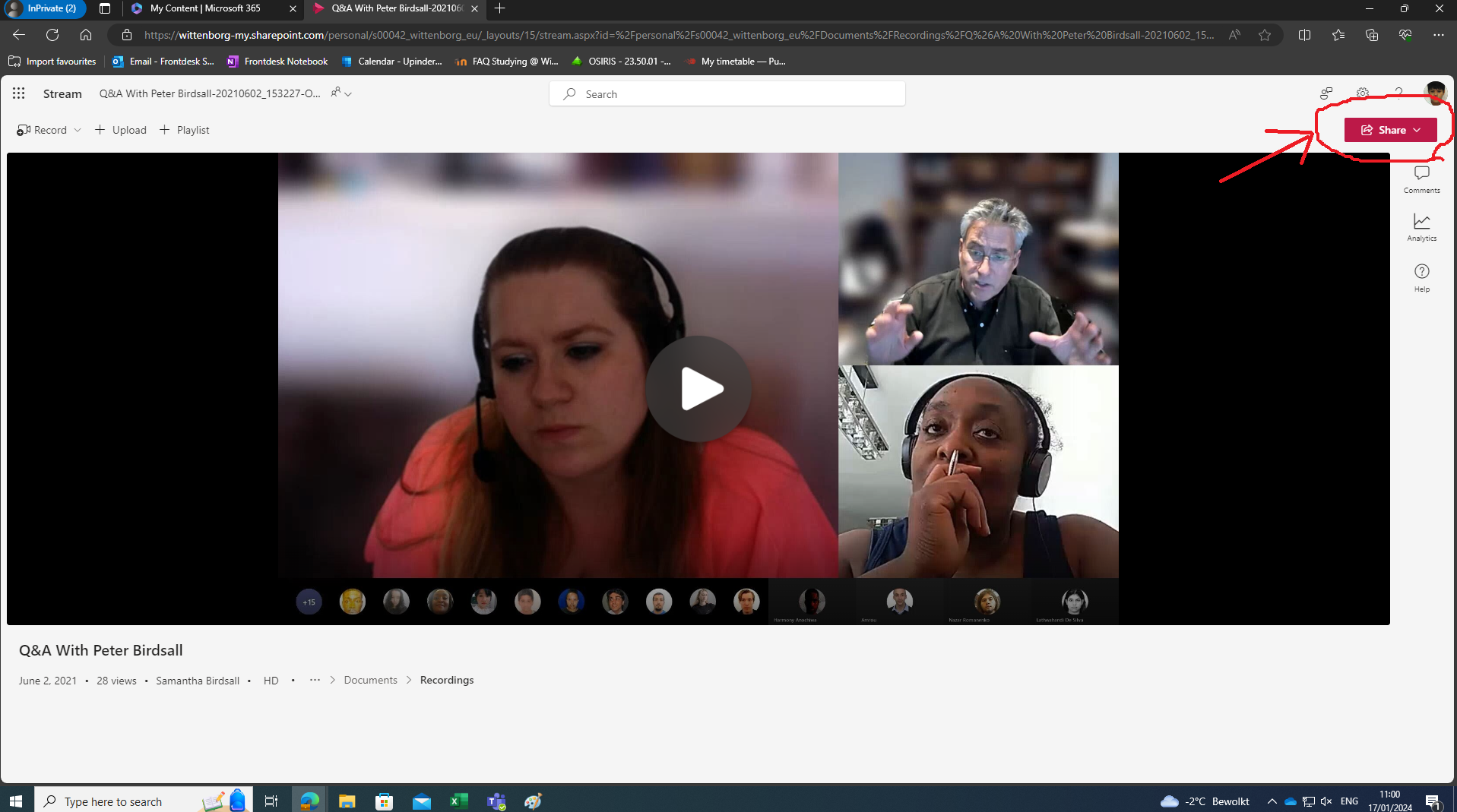
Click on the share button on the top of the right side and choose share option:
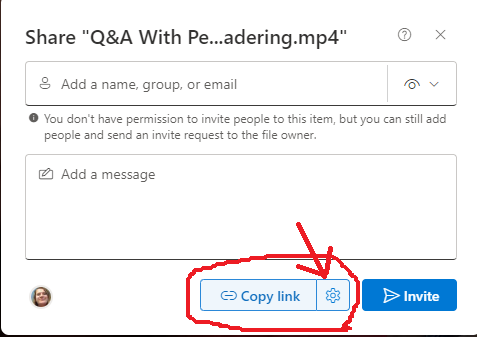
Choose the gear icon next to copy link
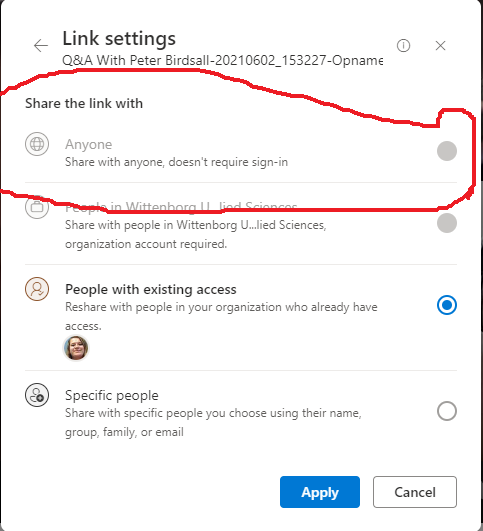
And choose the first option:
-After that copy the link of your video and paste it in a word file.
-Put a title page (Your Names and S-numbers, Teacher's name, Module, Year & Block)
- Attach group contribution statement.
- Upload the word file to the submission area.
- Double check if the link is working to view the video.
- Visit My FAQs for more instructions.
|